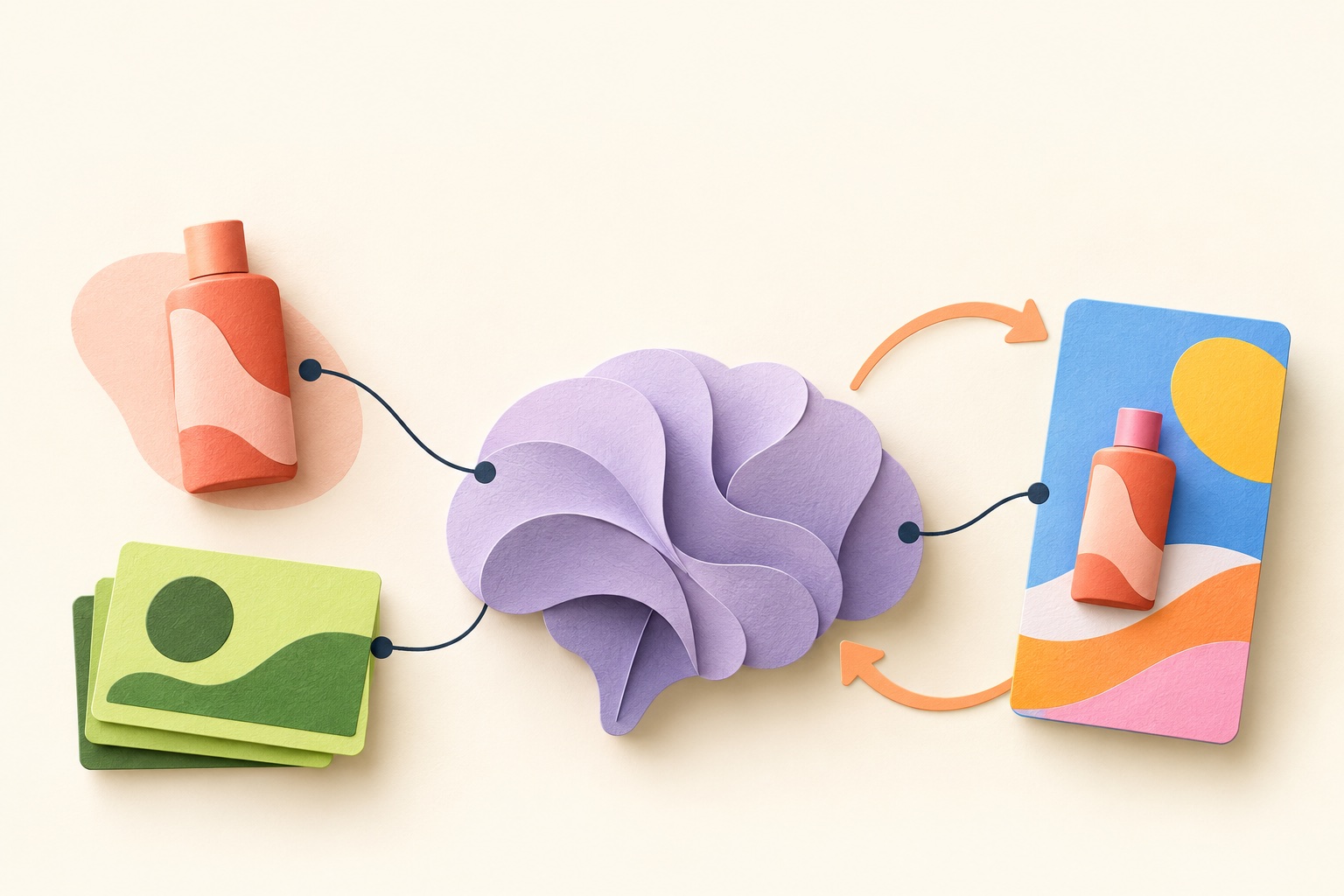

A practical guide for DTC founders and marketers using Claude Code.
TL;DR — the one-minute version
An AI agent can make an ad. The more useful setup is an agent that can find your brand context, make a campaign, and carry your corrections into the next one.
Give it three things:
- A brain: your products, audience, positioning, design, and past results.
- A creative kit: your photos, videos, and reusable layouts.
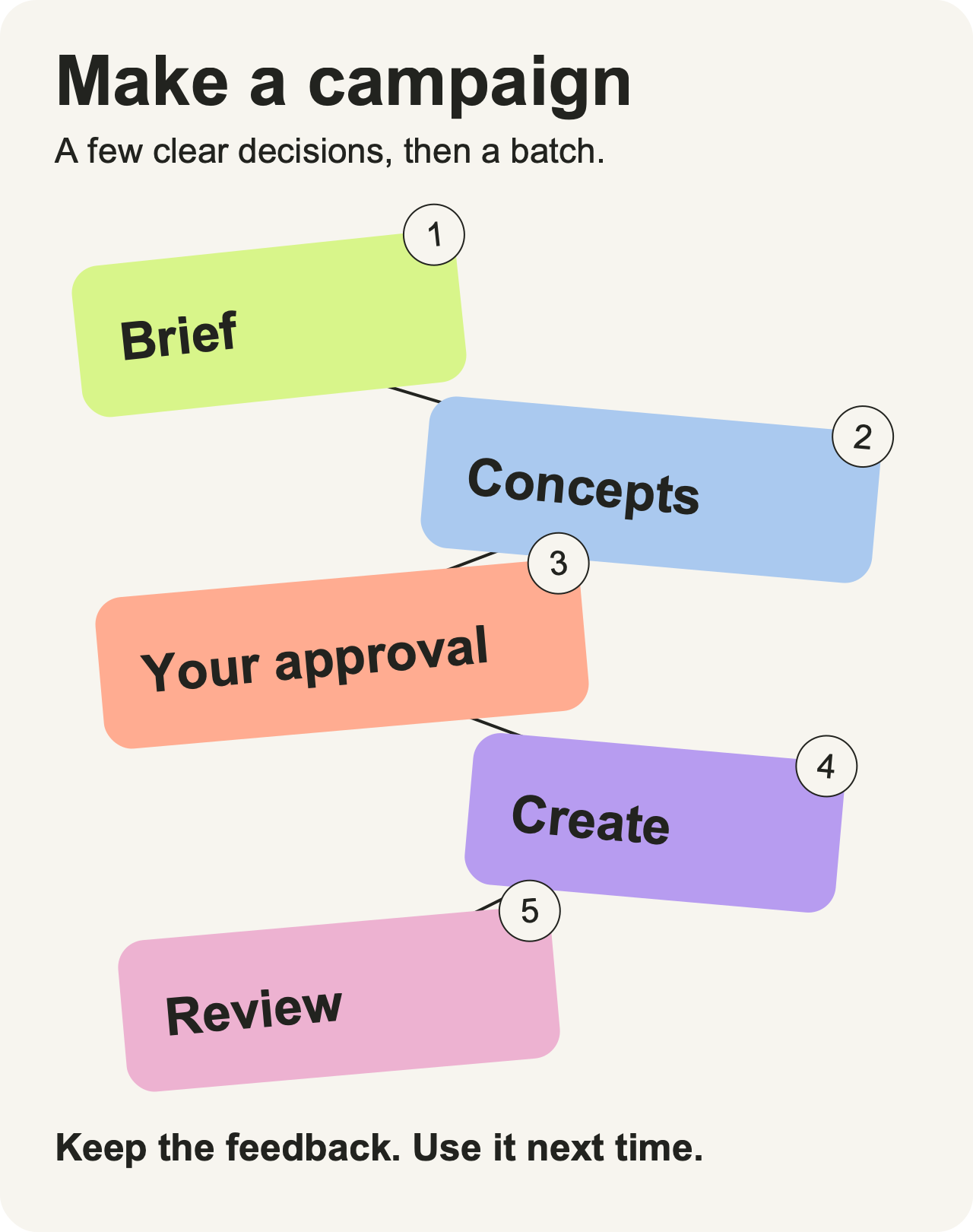
- A workflow: research → concepts → your approval → creative batch → review.
Then save two kinds of feedback: what you liked and what actually performed. They answer different questions.
The result is a workspace you can reuse for the next campaign, rather than rebuilding the brief each time. Ads come first. Social content, competitor research, and creator discovery can use the same foundation later.
You can build this yourself in Claude Code. Gooseworks can supply the creative tools and specialist workflows. Either way, start with one product and one campaign.
Start here: paste this into your agent
Help me build a marketing workspace for [brand URL].
Start with [product] and the goal of making ads for [channel].

Ask me for the missing context. Save concise files for our brand,
product, audience, positioning, and visual style. Keep source links
and flag assumptions. Index the assets and templates I provide.

Then interview me for a campaign, propose three distinct concepts,
and explain which assets and layouts fit each one. Wait for my
approval before generation. Show any tool setup and costs first.

Save the campaign and my review feedback so we can reuse the
relevant context next time. Don't publish or activate ads.
This is a starter prompt, not an installer. Your agent still needs access to your files and a connected creative tool. The steps below explain what to give it and what to look for.
Why this is useful
A fresh chat starts with a context problem. You explain the product, repeat the audience, find the same reference ads, and correct the same visual choices. The useful work disappears into a conversation you may never revisit.
A marketing brain turns that context into something the agent can find again.
It helps you:
- Brief faster: keep the facts and constraints in one place.
- Make more coherent creative: connect the concept, product, photo, and layout.
- Review more easily: see why an asset was chosen and correct it.
- Keep useful feedback: record the lessons worth carrying into the next campaign.
The practical outcome is a campaign folder with a brief, a few concepts, approved creative, and a review record. You can inspect it, change it, and use it again.
A better workspace does not guarantee a winning ad. It gives you a clearer way to develop and test ideas. Use public ads for hypotheses. Use your own account results to judge performance.
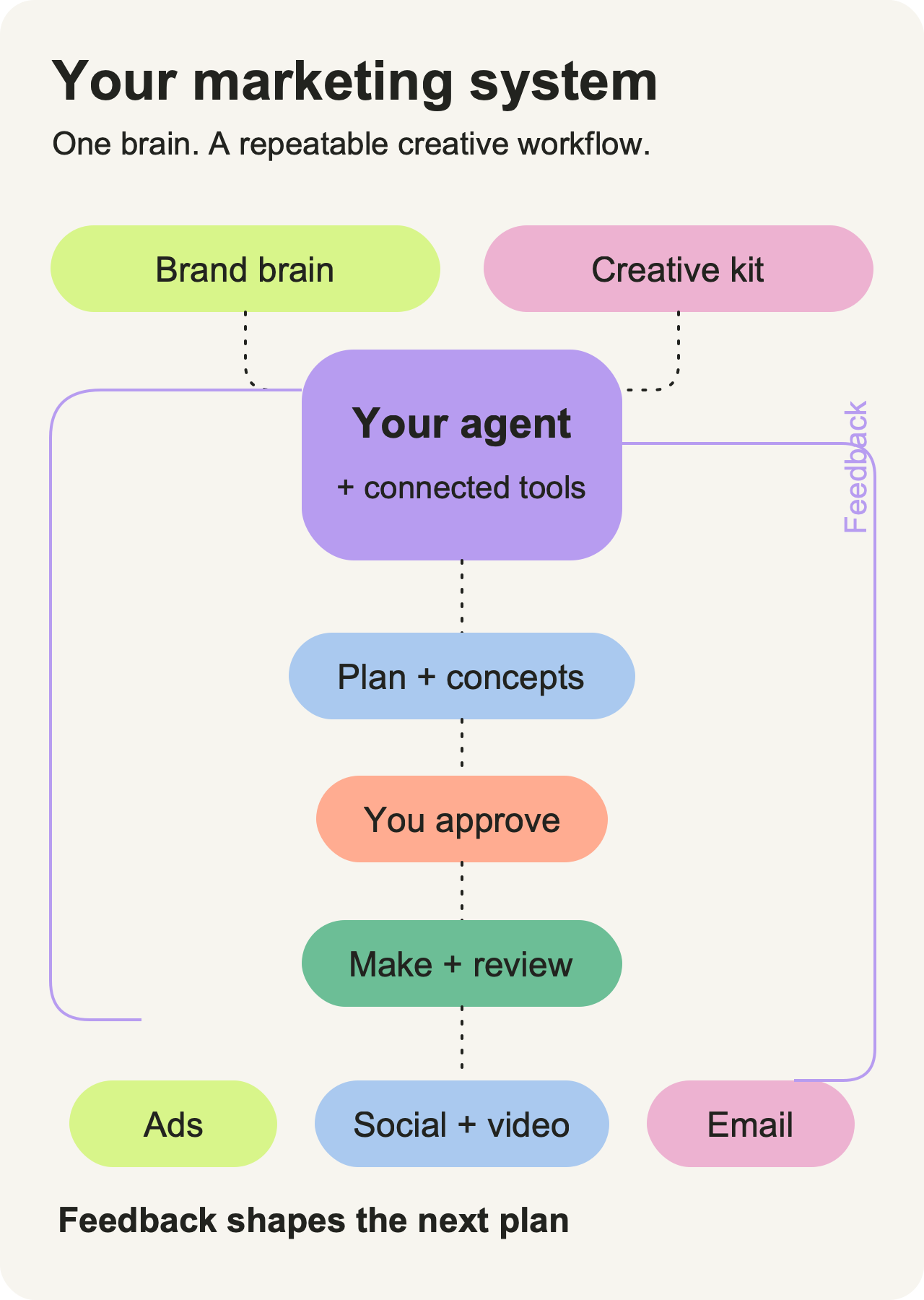
The whole system, at a glance
Think of the setup as a small creative team with a shared notebook:
- The brain holds brand and customer context.
- The creative kit holds usable media and layouts.
- The agent reads the right context and runs the workflow.
- You choose the direction and review the outputs.
- Feedback helps shape the next brief.
The model is one part of this. The files, tools, workflow, and review surface make the system useful. This is the agent harness idea.
1. Give it a small brand brain
Start with one product. You can add the rest of your catalog later.
Have the agent create five short documents:
- Brand: what you do, your voice, and things you should never say.
- Product: the offer, variants, approved claims, restrictions, and source page.
- Audience: buyers, situations, objections, pain points, and supporting evidence.
- Positioning: why someone chooses you, useful angles, and previous concepts.
- Design: colors, fonts, aesthetic, and examples from your ads or organic content.
Add previous campaign results if you have them. If you don't, leave that gap visible.
Useful inputs include your website, product pages, brand guide, earlier ads, customer research, and existing creative. The agent can draft the files from those sources, then ask you to correct them.
Read these sources and draft the five brand documents.
For important product claims, keep the source. Separate observed
patterns from assumptions. Ask me to confirm anything uncertain.
Review the facts before making the creative. A color that appears in three posts may be a pattern, not the official brand palette. A guessed audience pain point is a hypothesis, not customer research.
Markdown or readable HTML works. Keep a small index explaining which file answers which question. Ask the agent to load relevant files for each task; it does not need every document in every prompt.
For a bigger catalog, give each product its own file or connect the catalog source. Record where values came from and when they were checked.
Your checkpoint: can the agent explain the product, audience, and positioning with sources, without inventing the missing pieces?
2. Give it a creative kit it can find
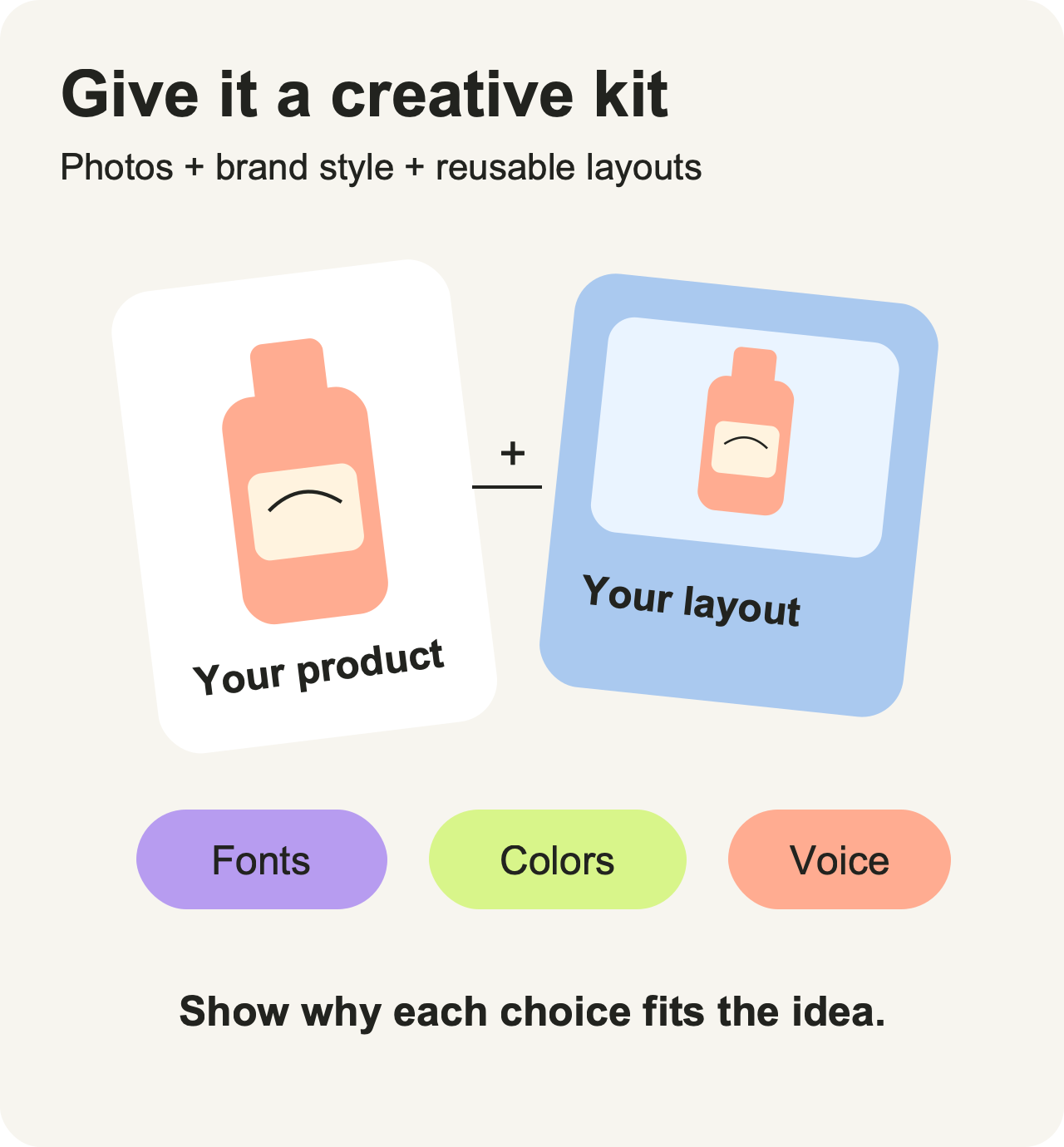
Your product photos, videos, reference ads, and reusable layouts are part of the system too.
The agent needs an index, not just a folder full of mystery filenames. For each useful asset, record:
- A preview or link.
- What it shows and which product it belongs to.
- Where it can be used and any restrictions.
- Its format, version, and source.
The files can stay in a remote library. A short searchable record helps the agent find the right one.
A template is a recipe: a scene-led ad, product close-up, quote layout, comparison, or conversation video. Record the inputs it needs and the kind of idea it suits.
Then make the selection visible:
Concept: show the bottle in a commuter's day. Photo: bottle beside a work bag. Layout: scene with a short headline. Reason: the setting helps explain the use situation.
That's a fictional illustration of the decision. The point is to make the choice easy to correct: “Use the other bottle variant,” or “Show the product more clearly.”
Your checkpoint: can you see the concept, selected photo, layout, and reason before paying to generate anything?
3. Connect the tools for the job
You don't need every marketing integration to make your first batch.
Start with a creative tool. For this walkthrough, use Gooseworks. Its official skill library documents this setup prompt:
Install gooseworks: https://gooseworks.ai/install.mdHave the agent follow the installer, show you the sign-in step, and check the connection. Then ask it to set up the brand using your website. Read the setup instructions and review the actual connection before production.
Add other tools when the work calls for them:
- Public ad and social research: ScrapeCreators for collecting references.
- Video analysis: the watch skill for examining hooks, beats, and structure.
- Creator discovery: Influencers.club or relevant ScrapeCreators sources; inspect fit and recent content.
- Partner or lead research: Orthogonal, Fiber, and Apollo where their data fits the task.
- Alternative creative generation: a provider such as Higgsfield, with its own connection and workflow.
These tools have different access, prices, and data coverage. Discovery and contact enrichment are also different operations. Ask the agent to confirm what is connected and what a request will cost. For video tools, check the selected engine and where media is processed.
Keep the first setup small. A loaded skill is a set of instructions; it doesn't prove a provider connection works.
4. Tell the agent how the work flows
A tool connection gives the agent access. A workflow gives it direction.
In Claude Code, keep short project instructions in CLAUDE.md, supported by the brand files and reusable skills. The official memory and skills guides explain those conventions.
Your routing instruction can be simple:
For marketing work, find the relevant product, audience, design,
and lessons first. Keep product claims grounded in sources.

Save each campaign with its brief, concepts, selected inputs,
creative outputs, and review notes. Explain asset/layout choices.
Wait for approval before generation; keep ad launch separate.
Over time, turn recurring work into skills:
- Plan a campaign.
- Research references.
- Generate a creative batch.
- Build the review board.
- Record feedback and propose learning updates.
Let those workflows reuse common actions such as finding assets, retrieving sources, or editing an image. Tell the agent where outputs belong: a local campaign folder, a Notion plan, or your Gooseworks asset library.
You can see a more detailed example in Corey Haines' ad-creative skill. Borrow the pieces you need; start with a workflow you can understand.
Your checkpoint: the agent knows what to read, what to do, where to save it, and when to ask you to choose.
5. Plan the campaign together
Now ask for the work you wanted in the first place:
Plan a campaign for [product] around [goal or offer].
Interview me first. Use our relevant brand context and lessons.
Propose three distinct concepts with asset/layout choices and
reasons. Show assumptions and wait for my selection.
The interview should establish:
- The goal and offer.
- Who you want to reach.
- The channel and formats.
- Claims, budget, timing, and creative constraints.
Then compare concepts. For a fictional bottle campaign, those might be the commute, the desk, and the weekend outing. Each gives the product a different context. They still need real audience evidence and approved claims.
Choose the promising direction. Correct the product variant, image, tone, or layout before production. Save those decisions beside the brief.
Approve a concrete scope: the concepts, claims, selected inputs, formats, number of outputs, and generation costs. If the agent materially changes that scope, have it bring the decision back to you.
6. Make a batch you can review
Ask the connected tool to produce the approved scope, then collect the results into a review board.
Make the approved batch. Keep each output linked to its concept,
source assets, and layout. Show previews in an HTML review board
or our connected review surface. Keep versions identifiable.
Tell me about missing inputs or failures. Don't publish or launch.
Review the creative where you can actually see it. Gooseworks can be the review surface where that workflow is available; a simple HTML gallery also works.
For each item, check:
- Product: correct variant, source, and supported claims?
- Idea: does it communicate the chosen concept?
- Design: clear hierarchy and readable copy on a phone?
- Finish: awkward crop, rendering mistake, or distracting detail?
Leave feedback against the exact version. “Use the close-up and make the headline shorter” is easier to act on than “Something feels off.”
Pick the versions to use. Generating an ad and activating it are separate decisions.
7. Keep two feedback loops
One loop comes from your review. The other comes from measured results.
Your review tells the agent what you prefer.
- “Use warmer backgrounds.”
- “That crop hides the product.”
- “This phrase doesn't sound like us.”
Performance tells you what happened in a particular test.
- Which creative ran, where, and for whom?
- What was the offer and test window?
- What did your own ad, social, or email account report?
- Was there enough exposure to form a useful hypothesis?
Keep the original comments and results. Then ask the agent to propose concise, dated lessons with a source and a scope.
A review preference might apply across the brand. A performance hypothesis might apply only to that audience, placement, or offer. Don't turn one into the other.
Preserve the observations. Propose learning updates with evidence,
scope, and limits. Before the next campaign, show the relevant
lessons and flag anything old, conflicting, or weakly supported.
This is saved context, not model retraining. Stale learning still needs judgment: an old lesson may remain useful, and a recent one may be wrong. Start by reviewing what the agent plans to reuse.
Start with ads. Extend when useful.
Once the core workflow helps, use the same brain for:
- Social posts and videos: add channel examples and format constraints.
- Competitor and trend research: save observations, sources, and questions to test.
- Creator discovery: build a shortlist with reasons for fit.
- Email or SEO: add the offer, lifecycle or search context, and a separate workflow.
Claude Code is the concrete example here. The same knowledge-and-workflow pattern can travel to other persistent agents, but their file access, skills, and integrations need checking.
The shortcut
You can own the files and assemble the tools yourself. Gooseworks packages specialist workflows and creative connections so there is less to wire together. Its ad walkthrough is a useful starting reference.
Start with one product. Build the brain. Choose a concept. Make a batch. Keep the feedback.
That's a workspace you can return to for the next campaign.